A macOS Ghostty fork for running many coding agents beside your IDE. ZMUX keeps terminal sessions, searchable history, Chromium browser panes, T3 Code, quick VS Code editing, project groups, and active workspace signals visible instead of scattering them across windows.
Sessions, search, browser panes, and a simplified sidebar
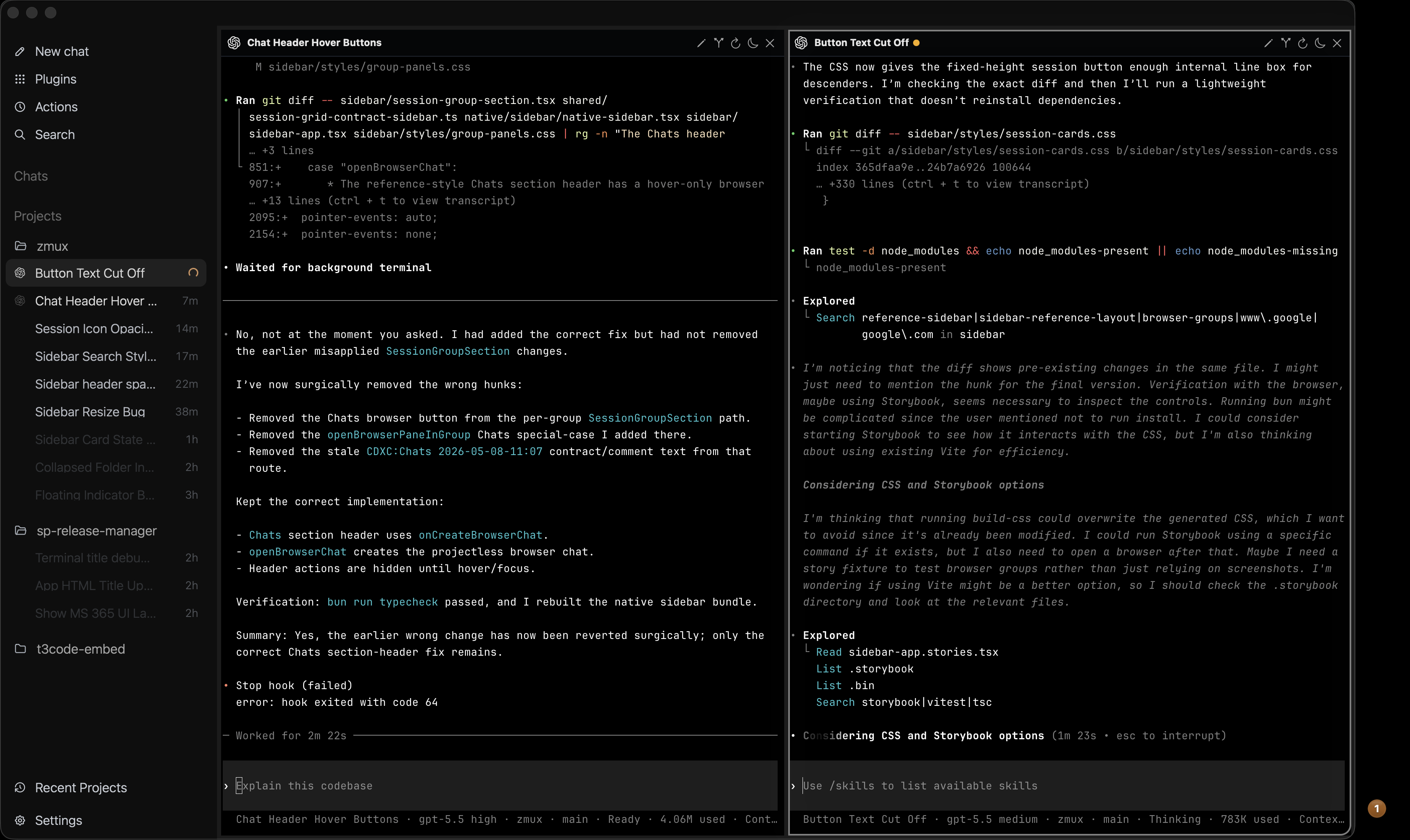
The best parts of ZMUX are session memory, searchable agent history, visible status, and real browser/editor panes.
Sessions survive the day
Reopen the app and your terminal sessions come back how they were. Sleep unused terminals to save RAM, then wake them into the same session.
Find old context fast
Search thread titles across agent CLIs, or prompt ZMUX with a few keywords to find a past thread that already has the context you need.
Agent status stays visible
Floating running and done indicators, sounds for most agent CLIs, auto-named sessions, and synced terminal titles keep status visible at a glance.
Panes for real work
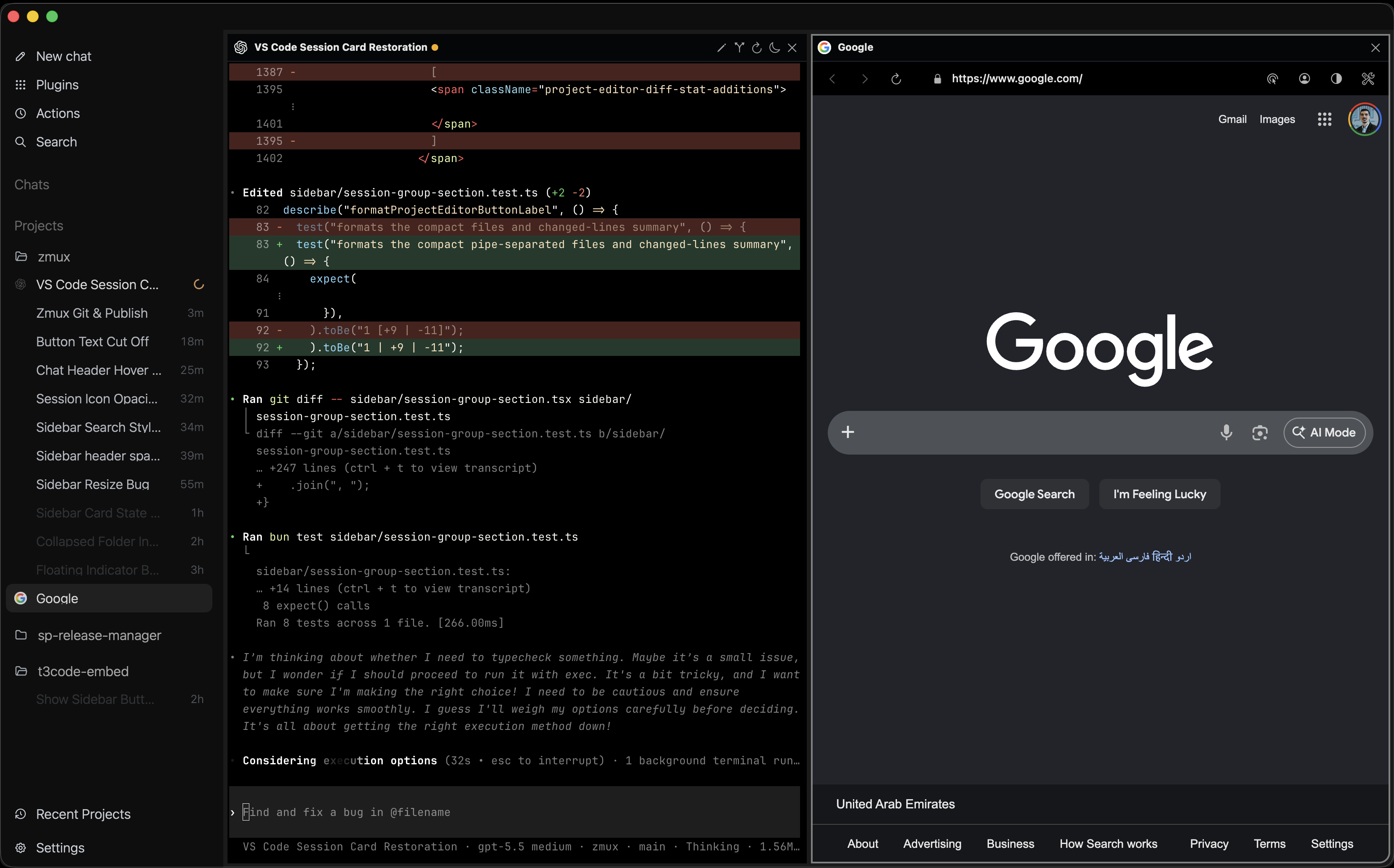
Run up to a 3x3 split, keep multiple split groups per project, embed Chromium browser panes, use T3 Code, and edit quickly with the VS Code surface.
Session memory
Sessions stay available instead of becoming disposable terminals.
ZMUX is built for long-running terminal agents. It keeps live sessions recoverable, lets idle terminals sleep, and keeps previous session metadata available when you need to resume old work.
Reopening the app resumes terminal sessions how they were
Sleep unused terminals to save RAM, then restore to that same session
Previous Sessions can restore archived agent identity, titles, favorites, and resume inputs
Zellij, tmux, and zmx providers keep terminal restore metadata restart-safe
Searchable history
Old context is searchable when the next task needs it.
The README calls out thread search as a core advantage: you can search agent thread titles or ask ZMUX to find a past thread with just a few keywords.
Search any thread title from all agent CLIs
Prompt ZMUX to find a past thread from a few remembered keywords
Resume agents that already have context about complex features
Auto naming keeps Codex, Claude, Gemini, and Copilot sessions readable
Agent visibility
You can see which agents are alive, done, or waiting.
The simplified sidebar brings terminal titles, agent state, and project groups into a Codex-familiar surface, while status indicators keep running and done work visible outside the main window.
Floating running and done indicators with sounds for most agent CLIs
Auto sync of terminal title and status with the sidebar UI
Simplified sidebar with project groups, action controls, and session cards
Terminals, browser work, editor work, and T3 Code fit in one surface.
ZMUX is not just a terminal rack. It can host Chromium browser panes, a light VS Code surface, T3 Code, and native split groups for project work.
Embedded browser is Chromium instead of WebKit
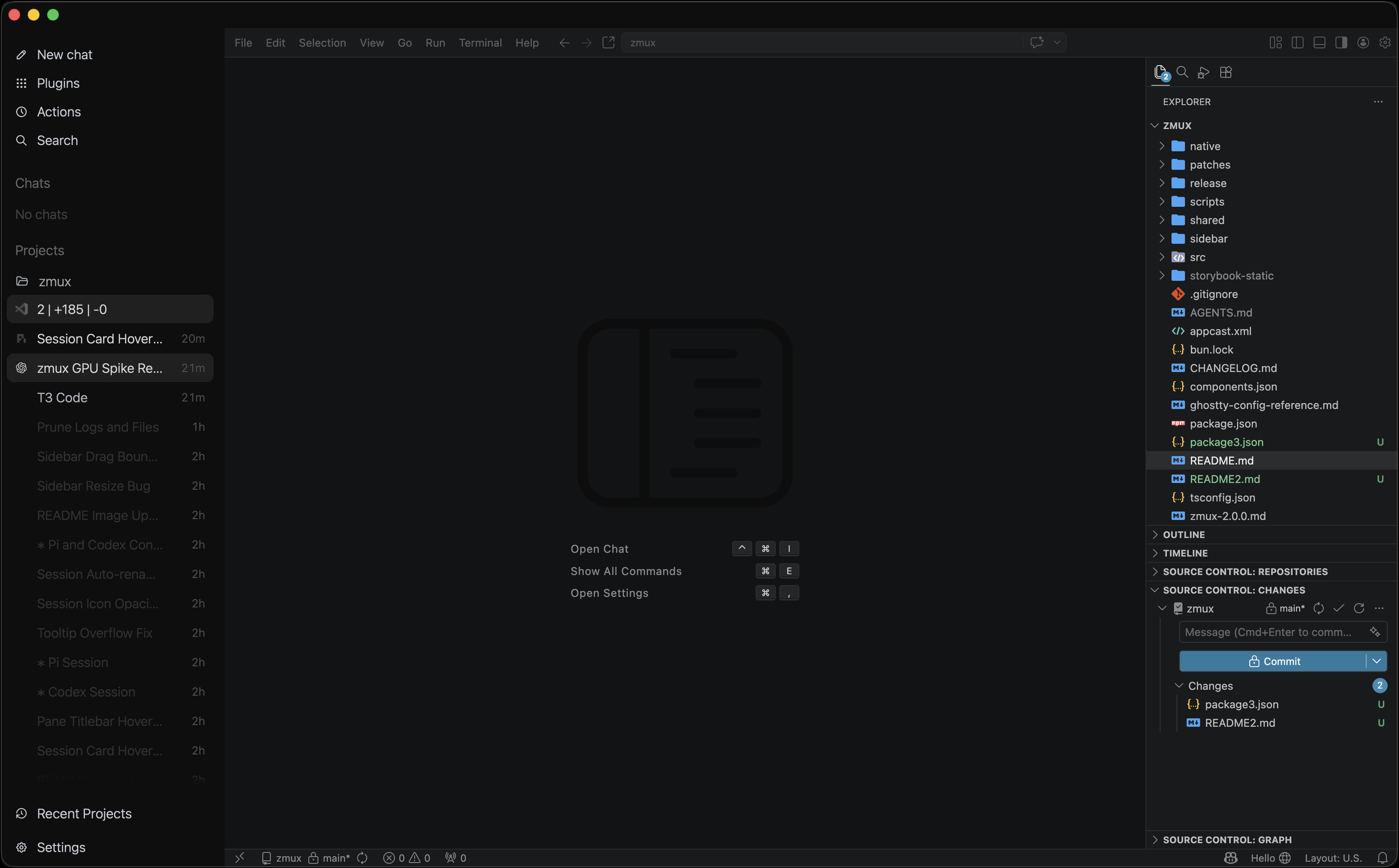
Includes a light VS Code embed for quick file edits, PR checks, and git work
Embeds T3 Code for people who prefer GUI agent work
Allows up to a 3x3 split and multiple groups per project with different splits
Project workflow
Resume sessions, recover old context, and add the right pane without rebuilding the workspace.
Resume
Open ZMUX and terminal sessions resume how they were, with sleep and wake available when idle terminals should stop using RAM.
Find
Search titles across agent CLIs or use a few keywords to find an older thread that already understands the feature.
Monitor
Watch running and done indicators, synced titles, and auto-named Codex, Claude, Gemini, and Copilot sessions in the simplified sidebar.
Expand
Add Chromium browser panes, T3 Code, a light VS Code editor, or up to 3x3 terminal splits when the project needs more surface area.
Simplified session sidebar
The new sidebar keeps agent sessions readable with project groups, session cards, search, status sync, and a layout that feels familiar if you are coming from the Codex app.
Chromium browser panes
Chromium browser panes live inside the workspace, with persistent storage, profiles, navigation controls, DevTools, React Grab, and favicon-backed sidebar cards.
VS Code embed
A light VS Code embed gives you a quick project-scoped editor for file edits, PR checks, and git work without leaving the ZMUX workspace.
T3 Code GUI panes
T3 Code can run as a first-class workspace pane for people who prefer GUI agent work beside terminals, browser panes, and the quick VS Code editor.
Install
Install the macOS cask and keep terminal agents, browser panes, and project context beside your IDE.
 Native Ghostty fork with an IDE-integrated agents manager